
Independent technical portfolio

GPU performance testing & technical tools.

I build tools to investigate, measure and optimize how hardware behaves, from automated GPU undervolting to repeatable benchmark runs. I'd like to offer the JayzTwoCents team remote support with technical testing and hardware experiments.

Durango, Mexico English & Spanish

From the workbench
Test environmentPC, console & VR
RTX 50909800X3D · 64 GB RAM
RTX 5070 / 4070Additional PC coverage
PS5 Pro · Switch 2Switch · PSVR2 · 4K/120 OLED
01 / GPU tuning toolIn development

Silicon Tuner Automating the undervolting grind.

Undervolting a GPU by hand is a lot of trial and error: adjust the curve, run a test, check for crashes, repeat. I wanted to see how much power I could save while keeping similar gaming performance, so I built Silicon Tuner to automate that process.

It records a stock baseline, then steps through clock offsets on the voltage/frequency curve and checks each point for errors, building a stability map as it goes. From that map, it derives three profiles with different goals: Efficiency, Balanced and Maximum Performance. Profiles can then be validated in actual games, not just synthetic tests.

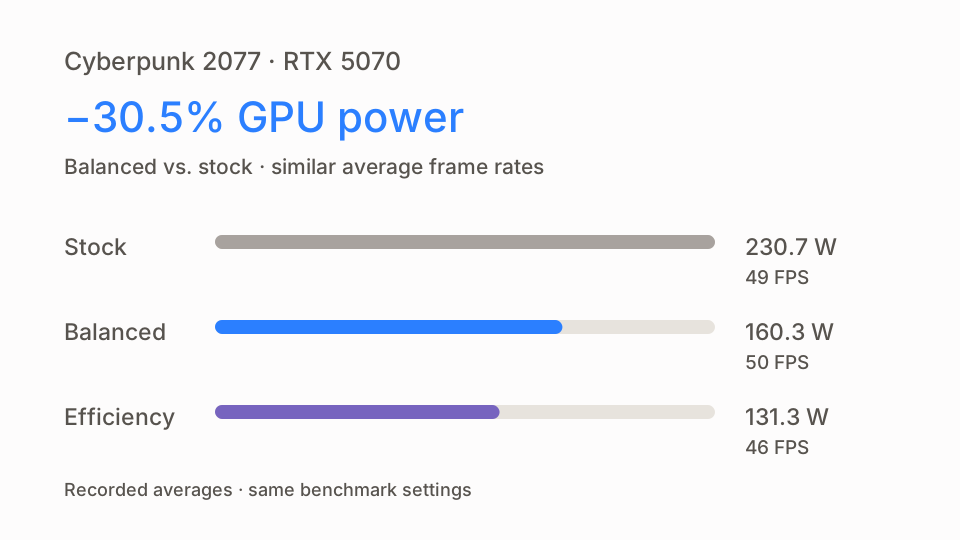
I've tested it on my RTX 5090 and RTX 5070. For the RTX 5070 results shown here, I ran Cyberpunk 2077's built-in benchmark with the same game settings for each profile and compared power draw, frame rate and temperature against stock.

Balanced: 30.5% less power
160.3 W against 230.7 W at stock, averaging 50 FPS versus 49 and running 9.8 °C cooler in my runs.
Efficiency: the biggest saving
131.3 W, about 43% less than stock, at 46 FPS. A larger power cut in exchange for a few frames.
Your mileage will vary
Different GPUs respond differently to the same settings, and passing one test doesn't guarantee stability in every workload. These numbers come from one card in one benchmark, not a promise for every GPU.
Watch the benchmark comparison · 1:07
Cyberpunk 2077 · RTX 5070Recorded averages
−30.5%GPU power · Balanced vs. stock
50 FPSBalanced average · 49 FPS at stock
Recorded measurements from my RTX 5070 tests in Cyberpunk 2077.
ProfileGPU powerGPU temp.Avg. FPS
Stock230.7 W79.4 °C49
Balanced160.3 W69.6 °C50
Efficiency131.3 W65.4 °C46

Recorded averages from my RTX 5070 runs using Cyberpunk 2077's built-in benchmark, with the same game settings for each profile. They show the power/performance trade-off on this card and workload, not a guaranteed result for other GPUs or games.

Seeing the trade-off in motion

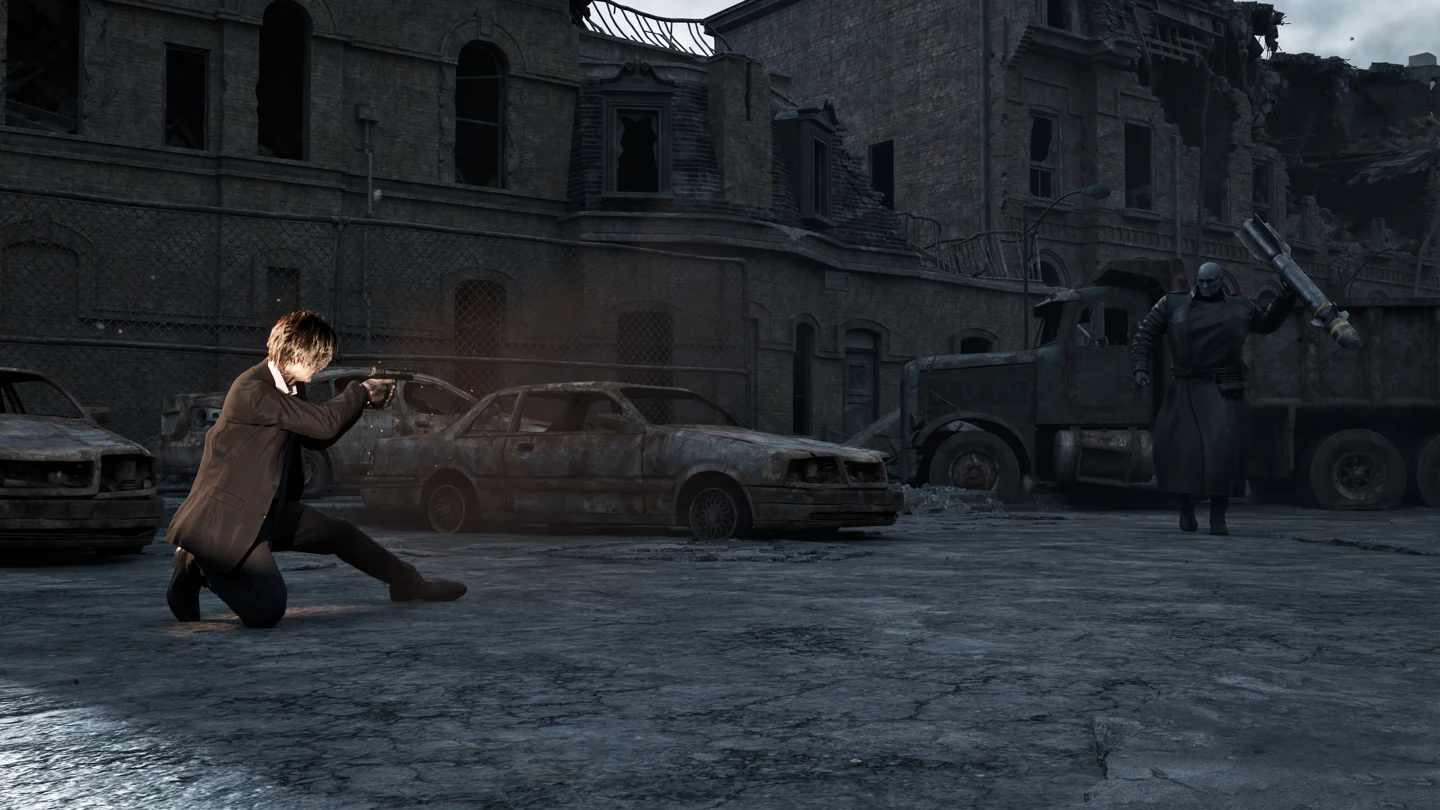
I also recorded the profiles on my RTX 5090, in Cyberpunk 2077 and Resident Evil Requiem. Each video shows Stock, Balanced and Efficiency side by side, with live power, temperature, clock and frame-rate overlays.

These are separate tests from the RTX 5070 results above, and the power savings shown on the 5090 are smaller. That's a big part of why I treat each result as specific to the card and game it was measured on.

Silicon Tuner · RTX 5090 recordings

Open the full videos: Cyberpunk 2077 · 1:06 · Resident Evil Requiem · 0:50. The overlays describe these recordings only; they aren't a guarantee of savings, identical frame rates or stability in other games.


02 / Custom modsInvestigation

The Witcher 3 Building the tools I couldn't find.

After updating from patch 5.00b, I noticed that HairWorks hair looked worse indoors, with more visible shimmering. I first saw it in 5.00c, and it was still there in 5.01. Comparing the builds helped me narrow the change down to the hair-rendering pipeline. A hybrid configuration using the earlier rendering components with the newer game data brought back the 5.00b look in the scenes I checked.

Showing the difference needed a closely matched pair of screenshots, and lining them up by hand felt almost impossible. I couldn't find a tool that did what I needed, so I developed a mod that lets me run multiple instances of the game, hold Geralt still and save both his position and the camera setup. I can then load that setup in the other instance, matching Geralt's position and the camera angle across builds.

HairWorks · build comparisonA / B
Geralt indoors with HairWorks in patch 5.01.
Geralt in the matching indoor view with HairWorks in patch 5.00b.
5.00b 5.01

Drag the image divider, or focus the image and use the arrow keys.

Original in-game captures, matched with the mod. Still images can't show temporal shimmering, and these checks aren't a game-wide validation of the hybrid configuration. 5.00b full resolution · 5.01 full resolution.

Recording and replaying benchmark routes

I also built a mod that records character movement, camera motion and pauses, then replays the sequence automatically. Saved routes stay available between game sessions, so I can run the same sequence under different settings without recreating every movement by hand.

In this video, I record a route and replay it to compare path tracing, path tracing with DLSS 5, and rasterized rendering.

Repeatable experiments
Replaying the same route for each configuration keeps the movement consistent between runs, so a test is easier to repeat and compare.
Comparable captures
Matching Geralt's position and the camera across builds makes it easier to see what actually changed, instead of lining up shots by eye.
Practical, not perfect
These are tools I built for my own testing, not a lab-grade setup. They cut out a lot of manual variation, but results still need checking across repeated runs.
The Witcher 3 · Route recording and replay

Open the full video.

03 / Custom toolsPublished mod

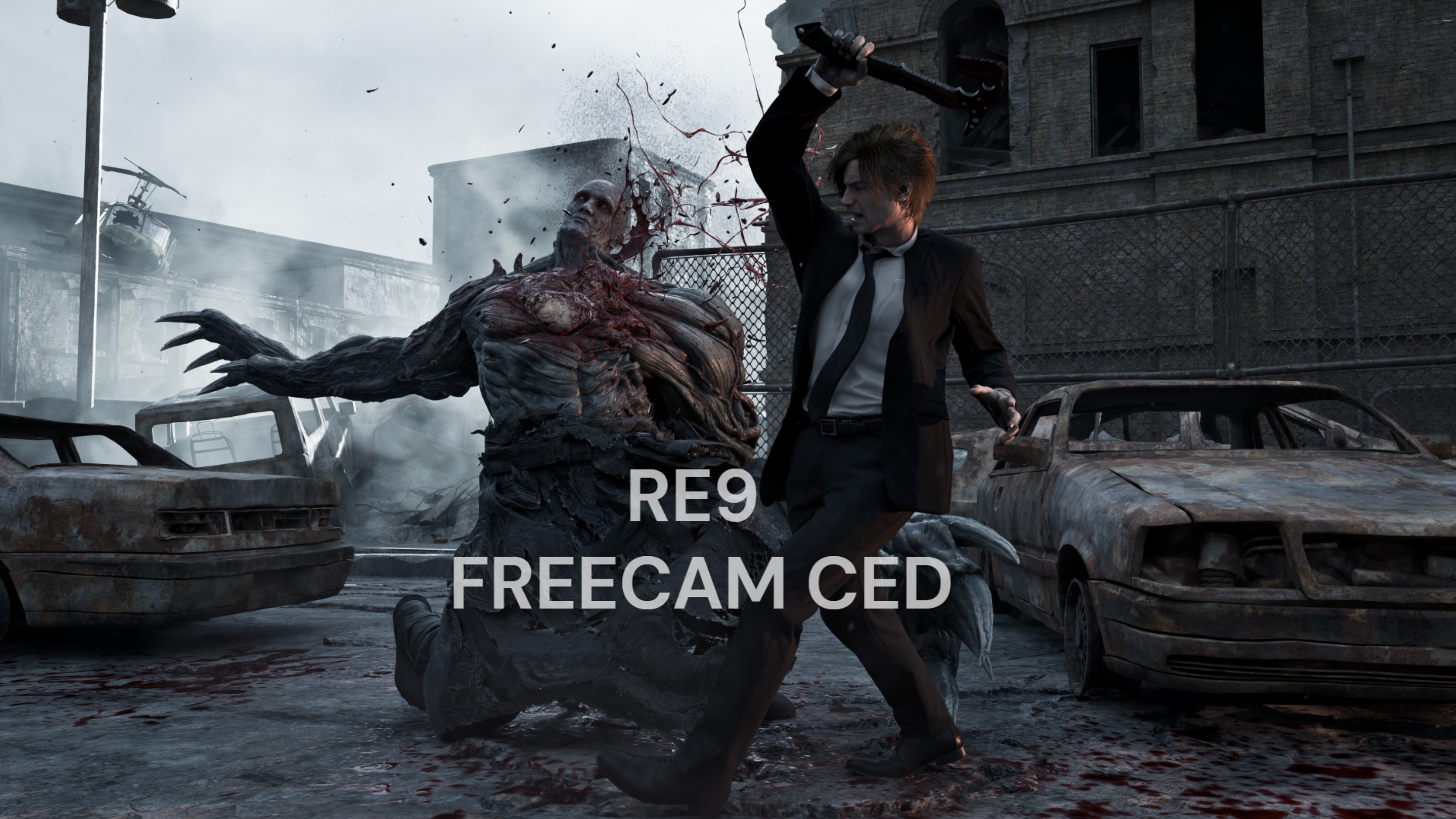
RE9 FreeCam Putting the camera where the game won't.

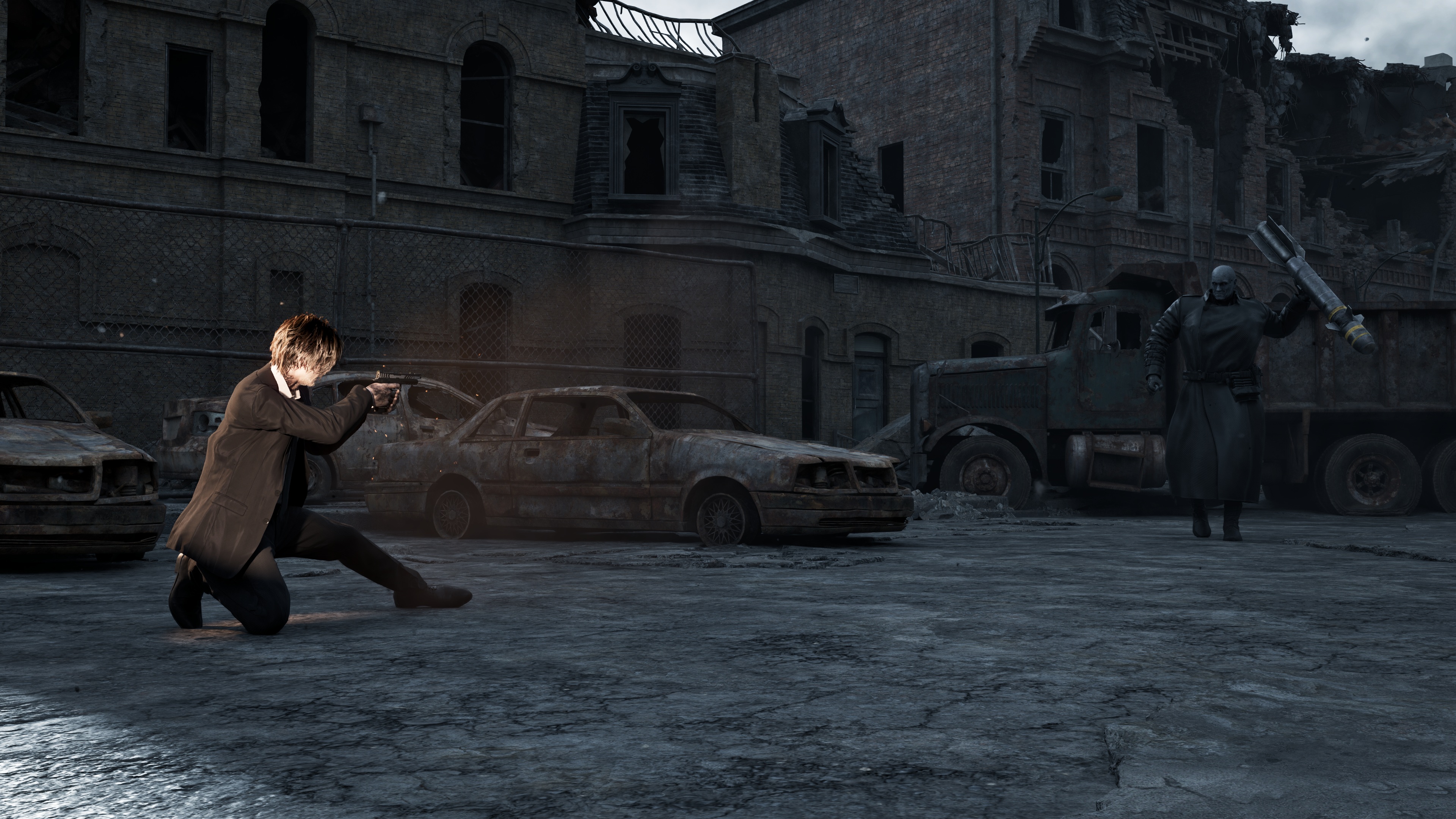
While playing Resident Evil Requiem, I wanted a closer look at character expressions and details the normal camera kept out of view. The game had no way to do that, so I built RE9 FreeCam.

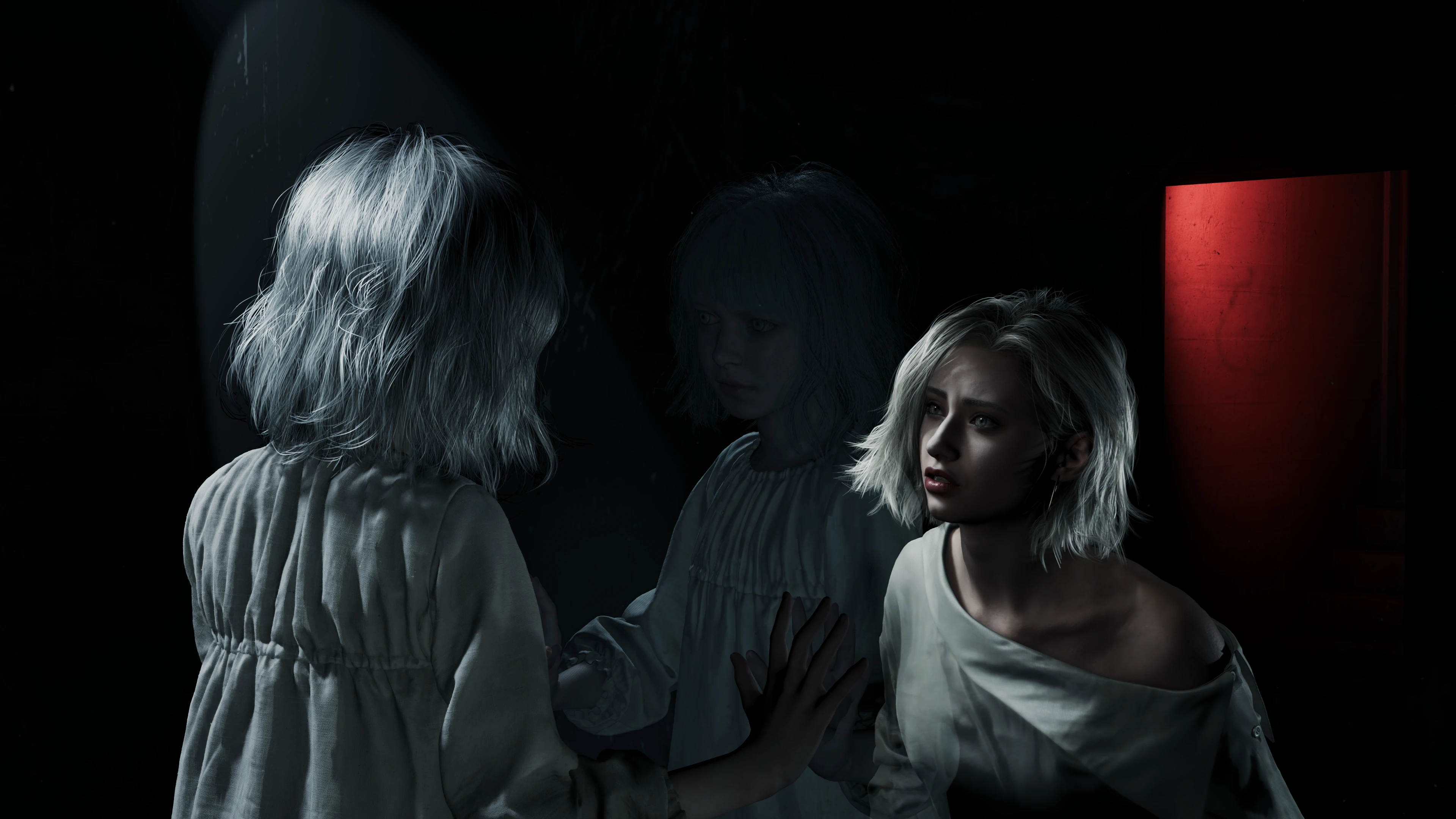
The hardest part was keeping control during cutscenes, when the game kept pulling the camera back to its scripted position. Once that worked, I added field-of-view controls and options to disable depth of field and lens flare, so I could frame and inspect details that are normally out of reach.

It's a small example of how I tend to work: when the tool I need doesn't exist, I adapt or build one to solve that specific problem.

View the mod on Nexus Mods
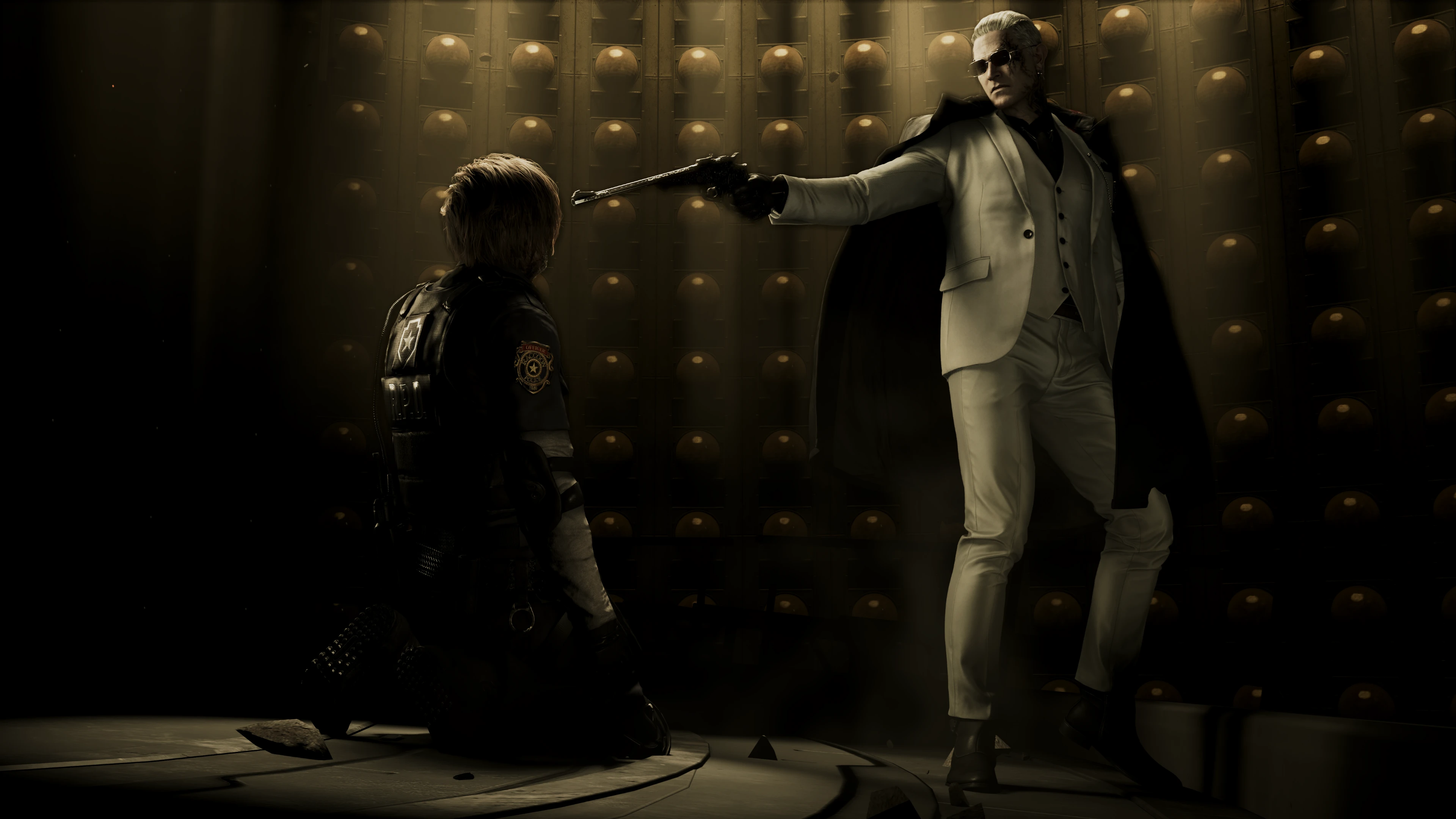
In-engine camera inspectionOriginal captures
A supplied RE9 scene capture from a free-camera perspective.Open full resolution
RE9 FreeCam CED release image. Two characters facing each other in a warmly lit interior. A close view of character expressions and hair.
Available on Nexus Mods

FreeCam CED

Explore the mod and its camera controls.

Captured with RE9 FreeCam. Open any image to see it in full resolution.

04 / Frame-time analysisIn development

GameStutterLab What else happened during that hitch?

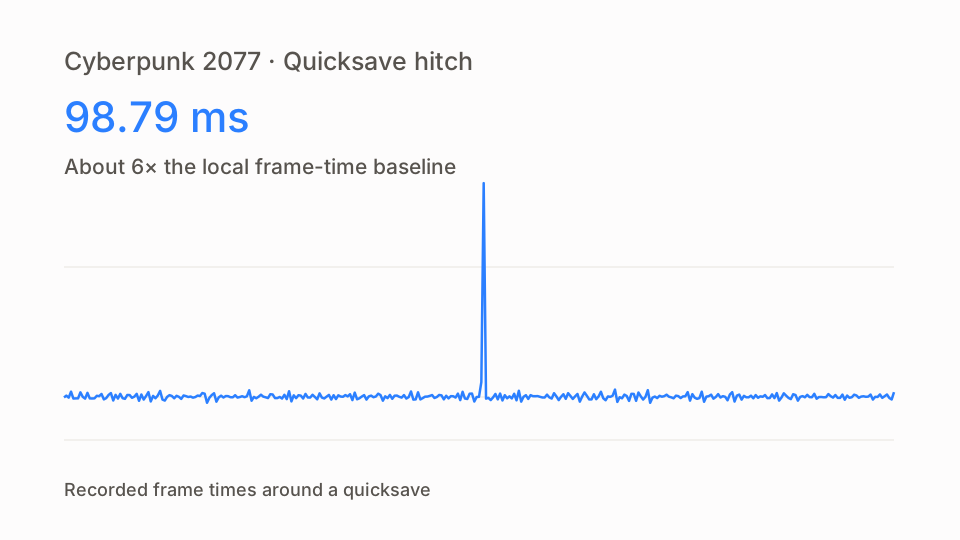
I started GameStutterLab because of the stutters I kept running into in PC games. It lines up frame times with available CPU, GPU, memory and disk activity, so I can see what else was happening around a spike and decide what to test next.

It's still in development, and it doesn't automatically establish a definitive cause. Activity that coincides with a stutter is a lead, not a verdict. In the capture shown here, a quicksave lined up with a 98.79 ms frame and nearby disk activity, but the exact cause is still unconfirmed.

Cyberpunk 2077 · Quicksave hitchRecorded capture
PresentMon capture · 355 frames around the quicksave hitch
Frame time 16.67 ms reference
Frame921 · capture frame
Frame time98.79 ms
ObservationQuicksave hitch · 5.96× local baseline

A quicksave coincided with a 98.79 ms frame, about 6× the local baseline of 16.57 ms, and nearby disk activity. The exact cause remains unconfirmed. Download capture CSV.

Other experiments

05 / Rendering experimentIn development

The Sims 2 Exploring path tracing in spaces I could build myself.

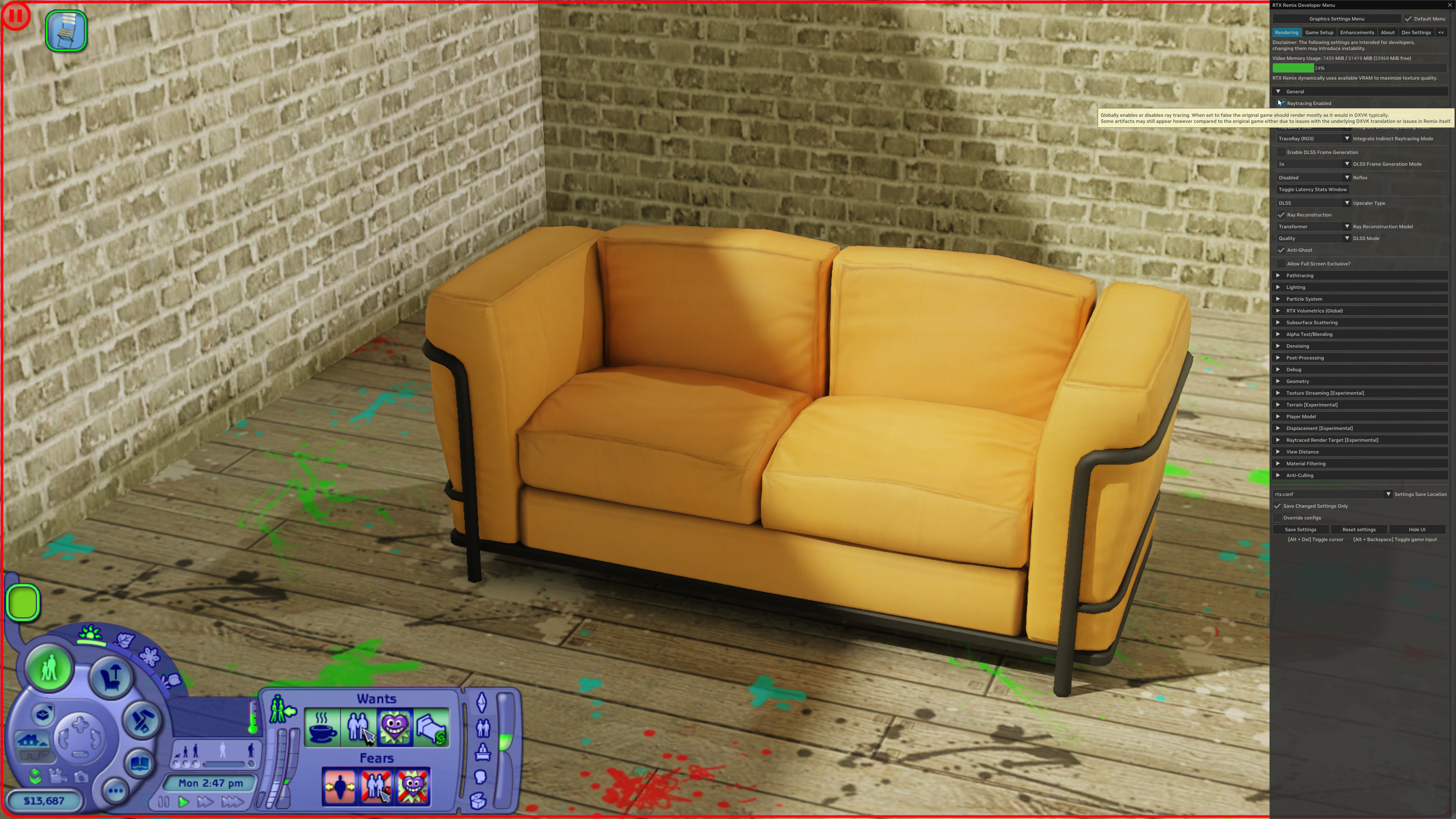
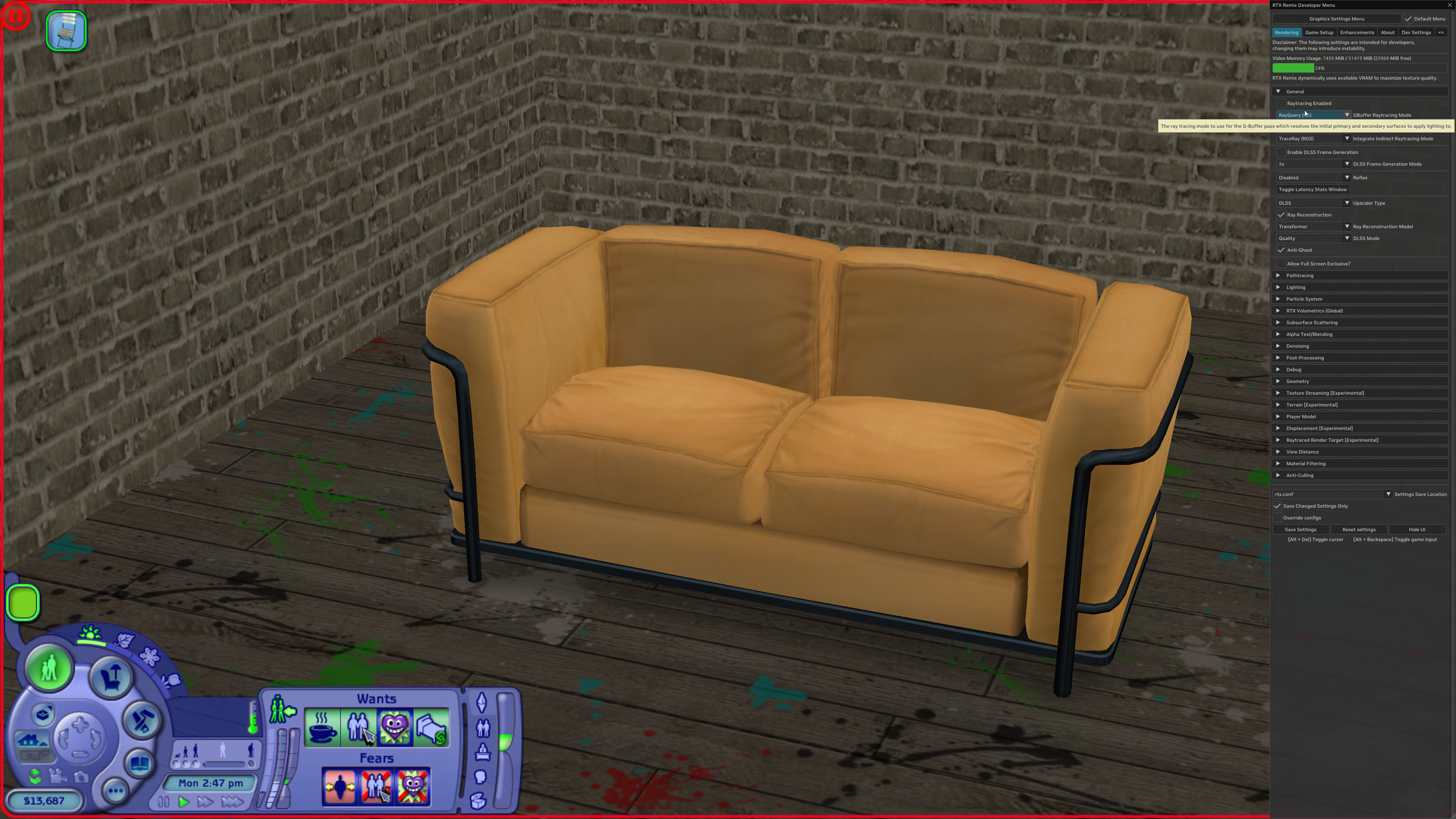
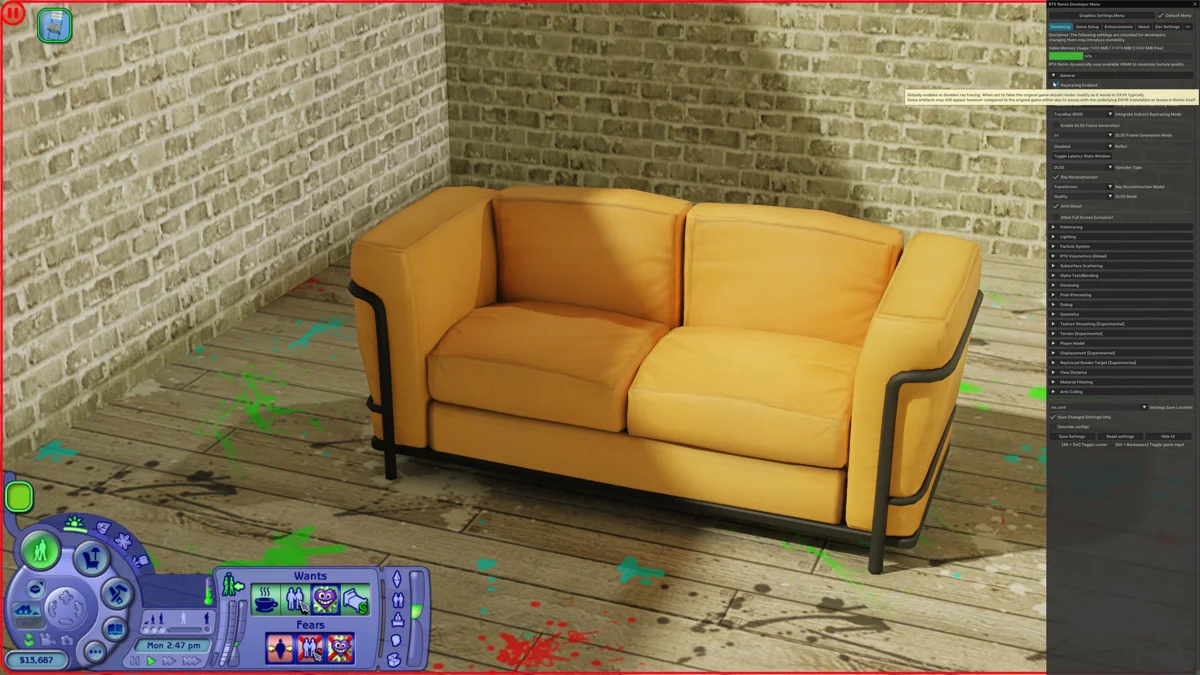
I wanted to see how The Sims 2 would look with path tracing, so I've been adapting RTX Remix to work with the game and comparing its lighting, shadows, reflections and materials with the original rasterized rendering.

Along the way, I've chased down distorted characters, missing textures and incorrectly rendered glass: reproducing each issue, comparing it with the original game and checking that a fix doesn't break something else.

The Sims 2 · Rasterization vs. path tracingA / B
The Sims 2 sofa scene with path tracing enabled in RTX Remix.
The same sofa scene with ray tracing disabled in RTX Remix.
Rasterized Path traced

Drag the image divider, or focus the image and use the arrow keys.

Both captures use the same crop to focus on the scene. Rasterized original · Path-traced original.

How I work

Build it, measure it, check it again.

Most of my projects start with something I notice while playing or tinkering: a visual change, a stutter, a GPU drawing more power than it seems to need. I get curious about why, then try to measure it properly.

When the right tool doesn't exist, I'll learn a new one, adapt an existing one or build my own. The goal is always the same: a result I can repeat, and a clear idea of what it does and doesn't show.

01

Build tools around practical problems

Silicon Tuner, the Witcher 3 capture mods and RE9 FreeCam all started with a specific problem I couldn't solve with the tools I had.

02

Measure hardware behavior

I record power draw, frame rate, frame times and temperature, and compare against a stock baseline before deciding whether a change actually helped.

03

Automate repetitive testing

If I'm running the same steps over and over, like stepping through undervolt points or replaying a route, I look for a way to automate them so every run is done the same way.

04

Investigate unexpected results

When a number doesn't add up, I re-run the test, compare configurations and check whether fixing one problem has introduced another.

05

Document findings and limitations

I keep settings, captures and notes together, and write down what a result does and doesn't show, so someone else can follow the setup and see what still needs checking.

Available for remote, project-based work

Got something worth testing?

I'd like to help the JayzTwoCents team with GPU testing, hardware experiments, technical tools and performance analysis, whether that's running benchmark passes, logging power and temperatures, or building a small tool to take the tedium out of a test.

I'm based in Mexico, work in English and Spanish, and I'm open to freelance or project-based work. I'm happy to fit into your existing tools and workflow.

If you'd like to see how I work first, I'd be glad to take on a small task or technical experiment.

cedtoro@gmail.com
Carlos DíazDurango, Mexico · English / Spanish View CV PDF